
Google My Business (GMB) Optimization Checklist: How to Rank #1 on Google Maps in Bangkok (GMB Guide)
:format(webp))
Introduction to Google My Business Optimization
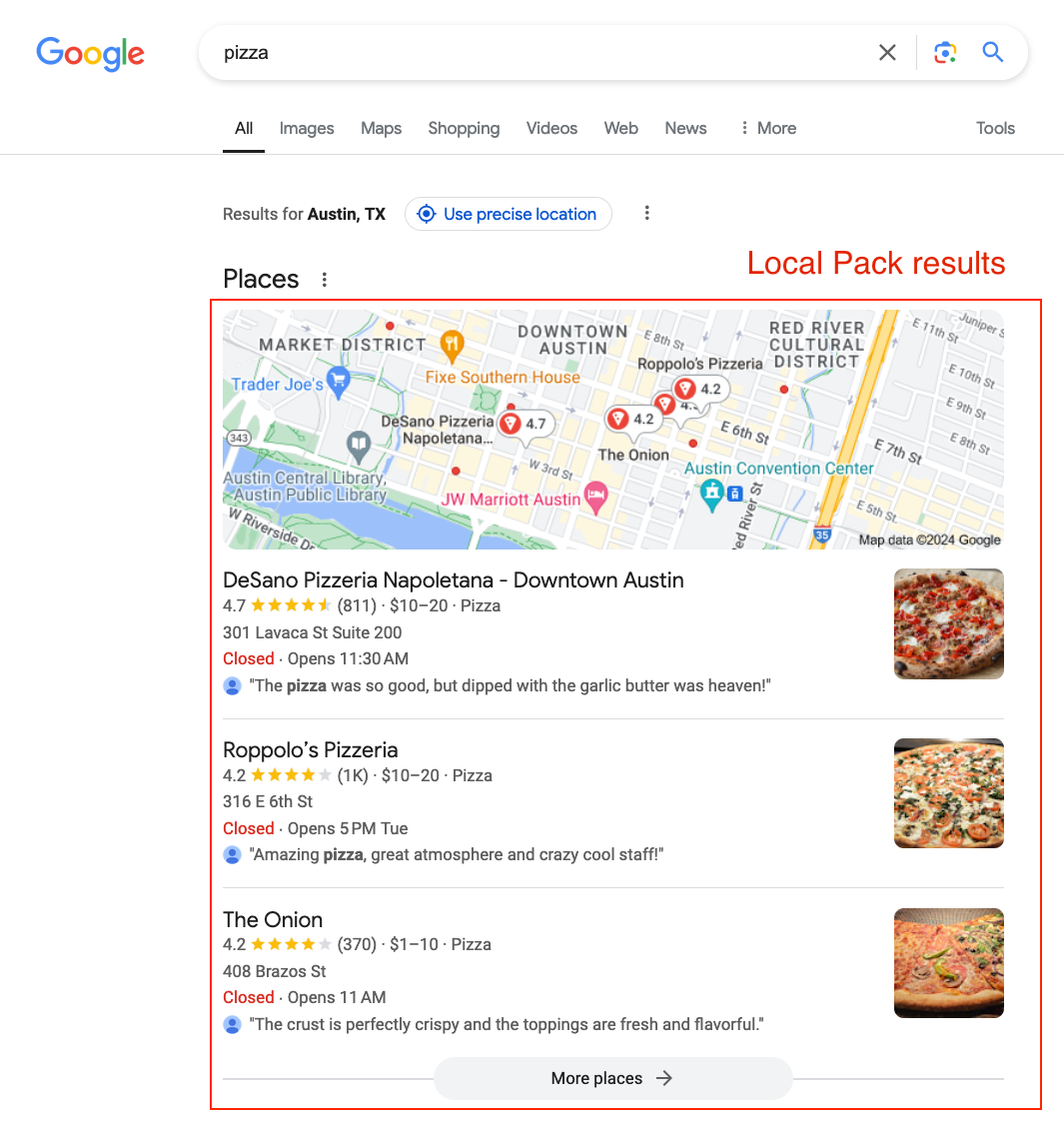
If you want your business to dominate local search results, especially in a competitive city like Bangkok, mastering the Google My Business (GMB) Optimization Checklist: How to Rank #1 on Google Maps in Bangkok (GMB Guide) is essential.
Google My Business (now called Google Business Profile) is one of the most powerful free tools for local SEO. When optimized correctly, it helps your business appear in Google Maps, local search results, and the Local Pack.
What is Google My Business (GMB)?
Google My Business (GMB) is a free platform provided by Google that allows businesses to manage their online presence across Google Search and Maps. It lets you display important details like:
Business name
Address
Phone number
Hours of operation
Customer reviews
Photos and updates
Simply put, it is your digital storefront on Google.
Why GMB Matters for Bangkok Businesses
Bangkok is a highly competitive city with thousands of businesses competing for attention. A well-optimized GMB profile helps you stand out and attract high-intent customers.
Key reasons it matters:
Most customers search before visiting a business
Mobile users rely heavily on Google Maps
Reviews influence purchasing decisions
Local SEO drives targeted traffic
Understanding Google Maps Ranking Factors

To rank at the top, you need to understand how Google evaluates businesses.
Relevance
Relevance measures how closely your business matches a user’s search query.
Tips:
Use accurate keywords
Select appropriate categories
Provide detailed service descriptions
Distance
Distance refers to how close your business is to the searcher’s location.
While you cannot change your physical location, you can improve visibility by targeting nearby areas in your profile.
Prominence
Prominence reflects your business reputation and authority.
Factors include:
Reviews and ratings
Backlinks
Online mentions
Brand recognition
Setting Up Your GMB Profile the Right Way
Claiming and Verifying Your Business
Claim your listing and complete verification through postcard, phone, or email. Verification unlocks full control of your profile.
Choosing the Correct Business Category
Selecting the right category is critical for ranking.
Examples:
Restaurant → Thai Restaurant
Clinic → Dental Clinic
Include secondary categories where applicable.
Adding Accurate Business Information
Ensure all details are correct and consistent:
Business name
Address
Phone number
Website
Optimizing Your Business Information
NAP Consistency
NAP stands for Name, Address, and Phone Number. Ensure consistency across all platforms including your website and directories.
Business Description Optimization
Write a clear and engaging description that includes your services, location, and unique value.
Service Areas and Attributes
Define your service areas and include relevant attributes such as accessibility features and amenities.
Google My Business SEO Strategies
Keyword Optimization for Bangkok
Use location-based keywords naturally within your profile.
Adding Services and Products
List all services with clear descriptions to improve relevance.
Using Local Keywords Effectively
Include neighborhood names such as Sukhumvit, Silom, and Siam for better local targeting.
Importance of Reviews and Ratings
How to Get More Reviews
Ask satisfied customers
Follow up after service
Provide excellent customer experience
Responding to Customer Reviews

Respond professionally to all reviews to build trust and engagement.
Posting Regular Updates on GMB
Types of Posts
Offers
Events
Updates
Promotions
Posting Frequency
Posting once per week helps maintain visibility.
Adding High-Quality Photos and Videos
Types of Images to Upload
Interior photos

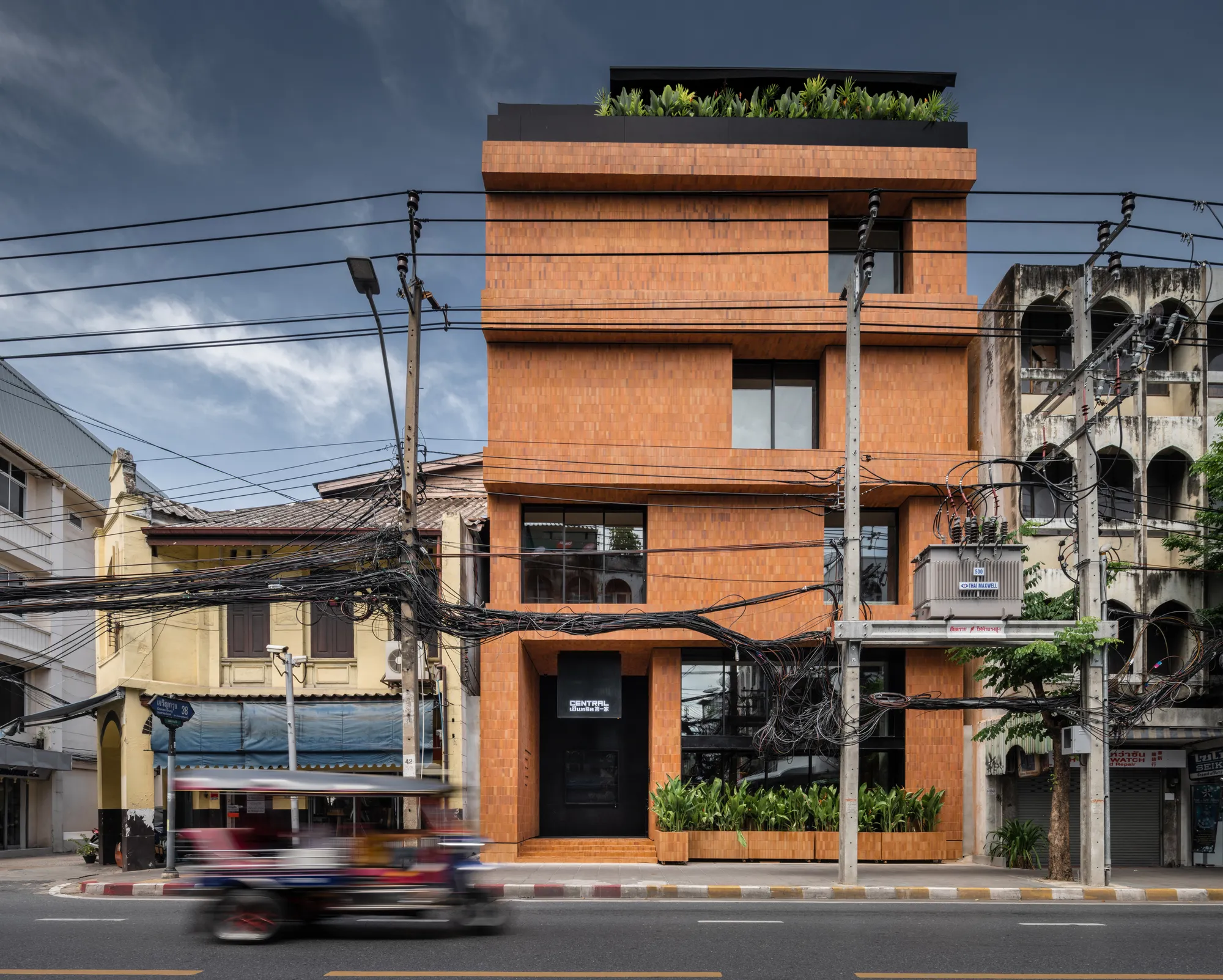
Exterior photos
Team images
Product visuals
Image Optimization Tips
Use high resolution
Update regularly
Ensure clarity and professionalism
Building Local Citations
Directory Listings
List your business on platforms such as Yelp and TripAdvisor.
Backlink Strategies
Earn backlinks from local websites, blogs, and partnerships.
Leveraging Google Q&A Section
Common Questions
Answer frequently asked questions to help potential customers.
Proactive Engagement
Add your own questions and answers to guide users.
Tracking Performance with GMB Insights
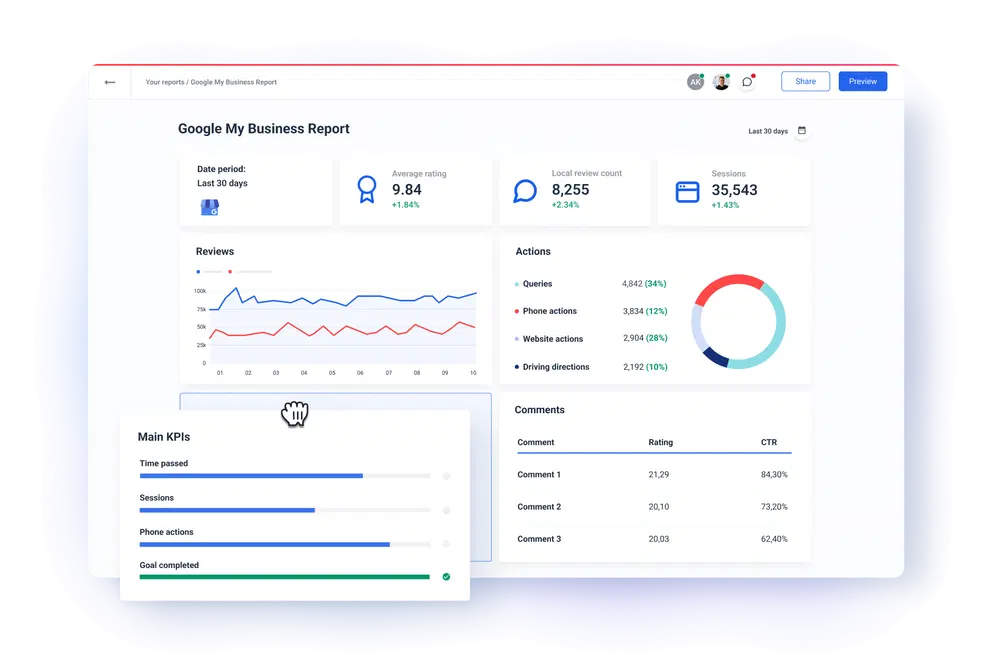
Key Metrics to Monitor
Views
Clicks
Calls
Direction requests
Adjusting Strategy
Use insights to improve your listing and performance.
Common GMB Mistakes to Avoid
Keyword Stuffing
Avoid overusing keywords unnaturally.
Incorrect Categories
Incorrect categories can harm your visibility.
Advanced GMB Optimization Tips
Geo-Tagging Images
Add location metadata to images to enhance local relevance.
Using UTM Parameters
Track traffic using this tool:
https://ga-dev-tools.google/ga4/campaign-url-builder/
FAQs
1. How Long does it take to rank #1 on Google Maps in Bangkok?
It can take weeks to months depending on competition and optimization.
2. Is Google My Business free?
Yes, it is completely free.
3. How many reviews are needed to rank higher?
There is no fixed number, but more quality reviews help.
4. Can keywords be added to a business name?
Only if they are part of the legal business name.
5. How often should the profile be updated?
At least once per week.
6. Do photos improve rankings?
Yes, they increase engagement and visibility.
Conclusion
Mastering the Google My Business (GMB) Optimization Checklist: How to Rank #1 on Google Maps in Bangkok (GMB Guide) is essential for local SEO success. By optimizing your listing, maintaining consistency, gathering reviews, and staying active, your business can achieve higher rankings and attract more customers.
Ready to Hit YourTarget
Let's align your marketing strategy with our results-driven expertise.
Clout Media Co., Ltd.
1 Empire Tower , 27th Floor, Unit 2701-02, 2712-14 (27075), South Sathorn Road, Yannawa, Sathorn, Bangkok 10120
Email : info@cloutmediaagency.com
Tel : 096 646 2265